

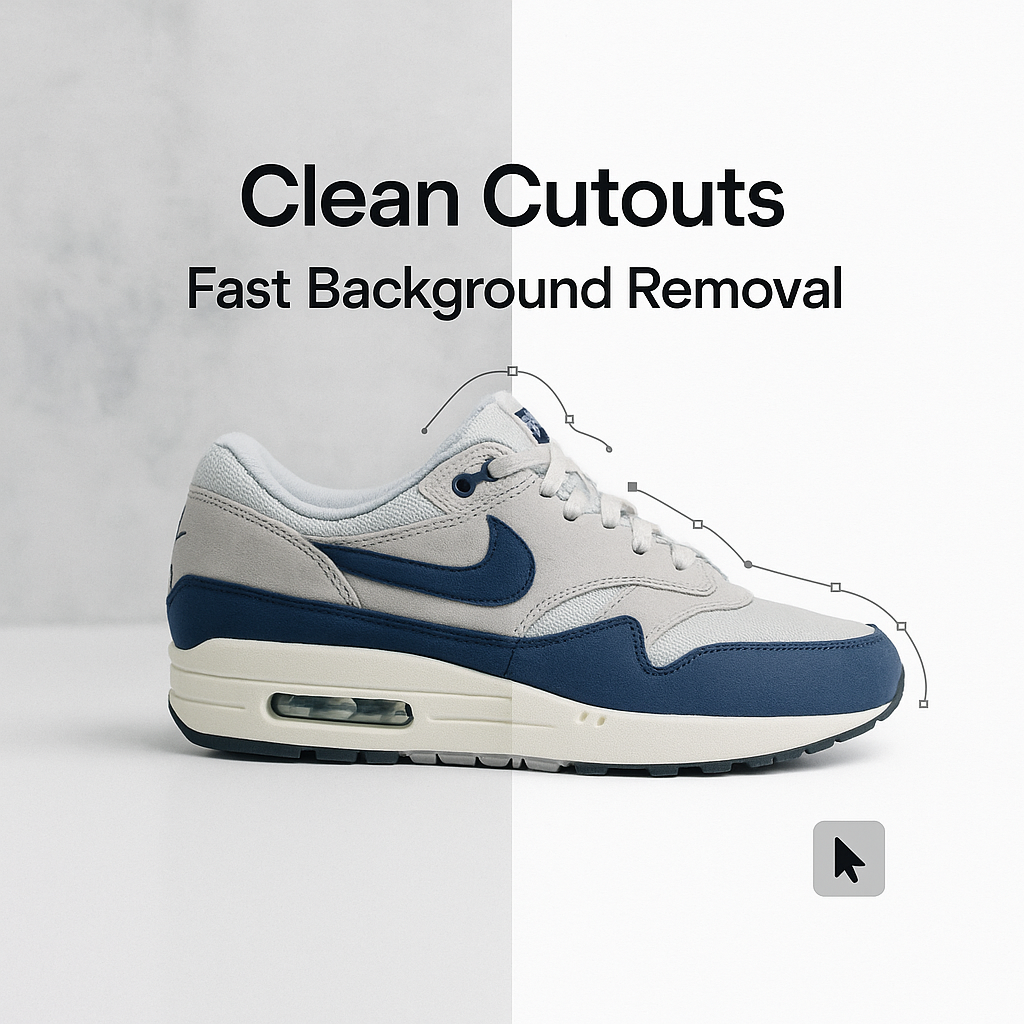

Photo cut out services help businesses create clean, professional product images without spending hours editing backgrounds. If you’ve ever tried removing backgrounds yourself, you already know how time-consuming it can be.
If you have ever tried cutting a product out of a photo yourself, you already know the truth. It looks easy for about seven seconds.
Then you zoom in.
Then you see the hair. The fuzzy edges. The weird halo. The shadow that now looks like a stain. And suddenly it is 1:12 a.m. and you are still clicking around a shoe lace with a tool that feels like it was designed to test your patience.
Photo cut out services exist for one simple reason: clean backgrounds sell. They also save you a ridiculous amount of time.
This post is a practical breakdown of what photo cut out services actually do, when you should use them, how fast you can get results, what to watch out for, and how to get clean, consistent cut outs without babysitting every image.
What “photo cut out” really means (and what it does not)
People use different words for the same thing:
- background removal
- cut out
- clipping path
- transparent background
- isolate subject
- image masking
Most of the time, you are paying for one outcome: your subject is separated from its background cleanly, so you can place it on white, transparent, a solid color, or a new scene.
A proper cut out is not just “remove background and hope.” It is edge control.
Good cut outs handle:
- crisp edges on hard objects like bottles, boxes, electronics
- soft transitions like fur, hair, feathers, chiffon
- holes and negative spaces like handles, chair legs, bicycle spokes
- shadows, either removed or rebuilt so the subject still looks grounded
- consistency across a whole catalog, not just one image
What it does not mean, automatically:
- a full retouch (dust removal, label cleanup, wrinkle smoothing)
- color correction
- realistic compositing into a new environment
- fixing bad lighting
Some services bundle those extras. Many do not. Always confirm what you are actually buying.
Why clean backgrounds matter more than people admit
A clean background is not just an aesthetic thing. It is functional.
1. Marketplaces literally require it
Amazon, Walmart, eBay, Etsy, Shopify themes, ad platforms. Many of them prefer or require a clean primary image. Especially white backgrounds for main product shots.
And even when it is not required, it is rewarded. Click through rates usually go up when shoppers can understand the product instantly. This post in a photography group discusses the importance of having a clean background in product photography.
2. Consistency makes a brand feel bigger
Ten products photographed on ten different backgrounds looks like a garage sale.
Ten products cut out the same way, aligned the same way, with consistent margins and shadows. That looks like a real store. Even if you are a team of one.
3. It makes everything else easier
Once a product is isolated, you can reuse it everywhere:
- product pages
- thumbnails
- bundles and comparison charts
- seasonal banners
- ads
- email promos
- social posts
- packaging mockups
It is not just one edit. It is an asset you can reuse for months.
The main types of photo cut out services (pick the right one)
Not every image needs the same technique. The best services will choose the method based on edges, texture, and what you plan to do with the file.
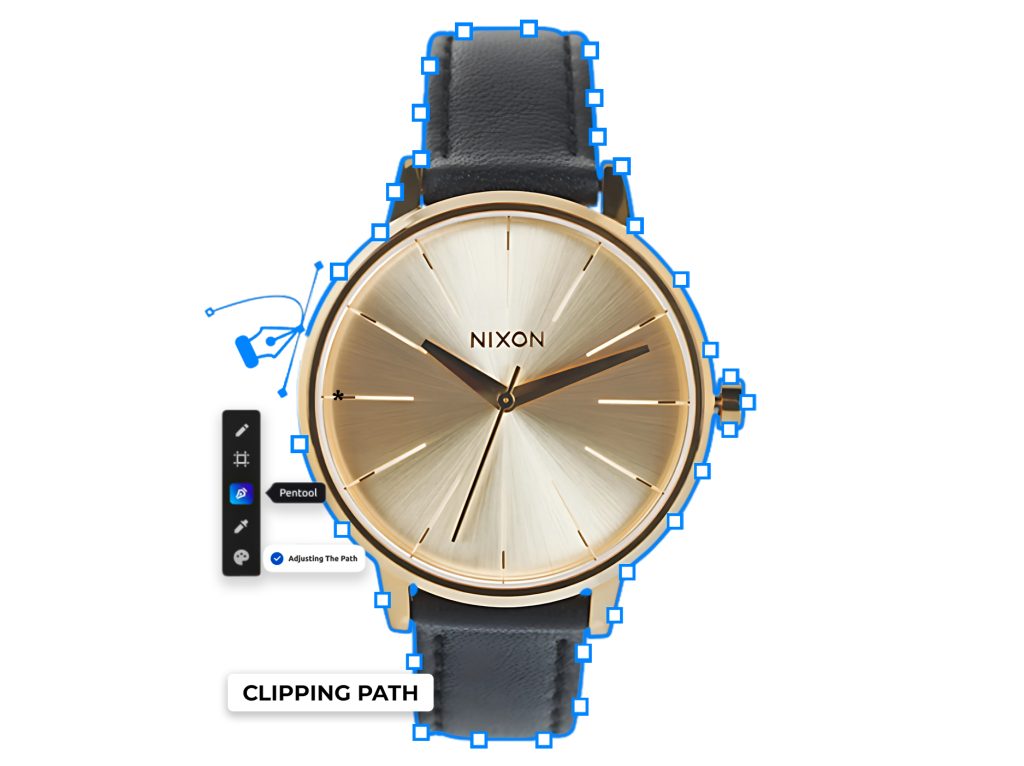
Clipping path (best for hard edges)
This is the classic method. A human draws a precise path around the object.
Perfect for:
- jewelry with clean outlines (not too many tiny chains though)
- electronics
- tools
- bottles
- cosmetics packaging
- furniture with solid edges
Pros: very clean, very controllable.
Cons: struggles with hair, fur, transparent items.
For those facing challenges in achieving that perfect white background for their product photos, this Adobe community discussion offers valuable insights on effective techniques to extract images and achieve desired background results.
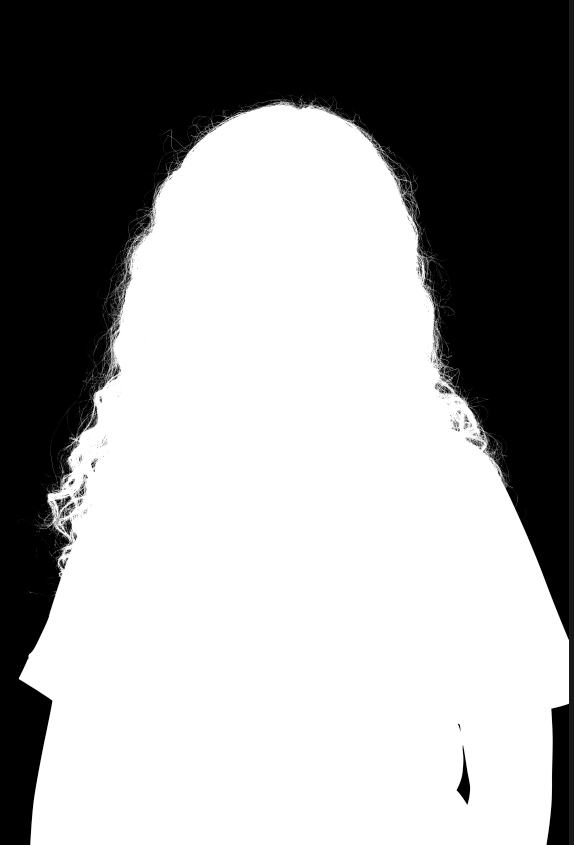
Image masking (best for hair, fur, soft edges)
Masking is how you cut out fuzzy or semi transparent edges without making them look like cardboard.
Perfect for:
- portraits, models, wigs
- pets
- fluffy clothing
- trees, plants, feathers
Pros: natural edges.
Cons: takes longer, costs more than a basic clipping path.
Transparent and reflective objects handling
Glassware and shiny items are their own category.
- wine glasses
- perfume bottles
- clear plastic packaging
- glossy ceramics
- chrome products
Good cut out work here often includes keeping natural highlights and controlling edge contamination from the original background.
If a service says “we remove backgrounds for glass in one click,” be careful. That is usually where quality falls apart.
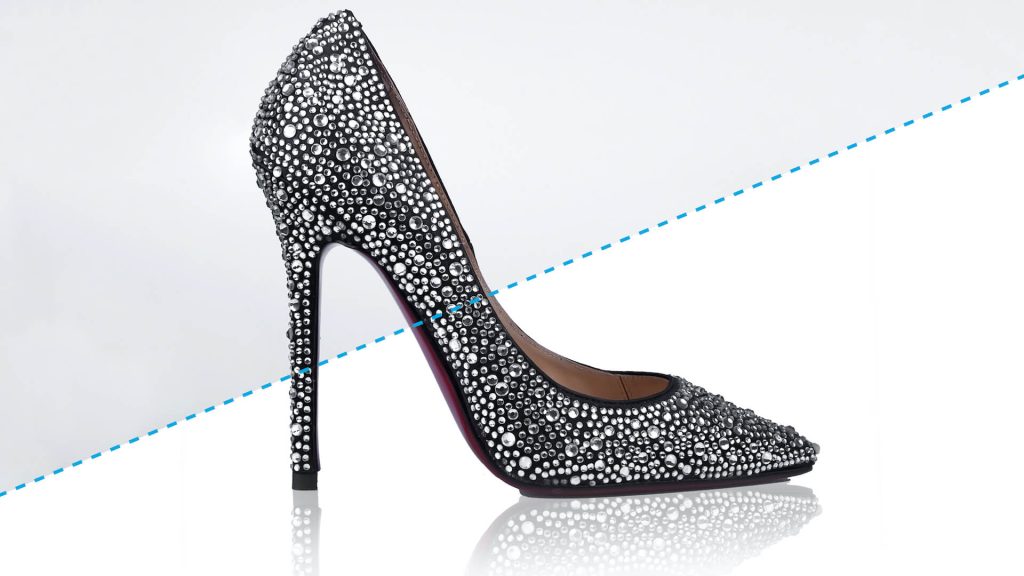
Shadow creation and shadow preservation
A cut out with no shadow can look like it is floating. Sometimes that is fine. For catalogs, often it is not.
Options you will hear:
- keep original shadow (hard if the background is messy)
- natural shadow recreated (subtle, realistic)
- drop shadow (clean, consistent, not always realistic)
- reflection shadow (common for electronics and beauty shots)
Tell them what you want. “Shadow included” is vague.
How fast can you actually get clean backgrounds?
Speed depends on three things:
- complexity of edges
- number of images
- the service’s workflow and staffing
In practice, many providers can turn around basic product cut outs in 24 to 48 hours. Some offer same day or even a few hours for small batches.
But here is the thing. Fast is good, until it is sloppy.
If you are on a deadline, do this instead of praying:
- send 2 to 5 test images first
- confirm the output format and edge style
- confirm whether they will match a reference example
- then send the full batch
That tiny extra step saves you from getting 300 images back with weird halos.
DIY vs photo cut out service: when to stop doing it yourself
You can absolutely do it yourself in Photoshop, Photopea, Affinity, Canva, whatever. For a few images, sometimes it is faster.
But if you are in any of these situations, outsourcing is usually the move:
- you have more than 30 to 50 images a week
- you need consistent cut outs across a catalog
- you keep redoing edges because they never look right
- you are doing hair, fur, lace, netting, tulle
- you want your time back for listing, ads, customer service, product sourcing
- you are paying a team member to do it and it is not their core skill
A good cut out service is basically like having a production desk that does the boring precision work while you run the business.
What you should send (and what to ask for)
This part matters. The biggest “bad results” stories are not always the editor’s fault. They often come from unclear instructions.
When you place an order, include:
1. Output type
Choose one:
- PNG with transparent background (most common for web)
- PSD with layer mask (best if you want flexibility)
- TIFF with transparency (print workflows sometimes)
- JPG on white background (simple, light files)
If you do not know, ask for PNG and PSD. PNG for use, PSD for safety.
2. Background requirement
Be specific:
- pure white (#FFFFFF)
- off white (and give the hex code)
- transparent
- light gray
- keep original background but clean it
Yes, pure white matters if you are selling on marketplaces.
3. Shadow instructions
Pick one:
- no shadow
- keep natural shadow if possible
- add subtle natural shadow
- add uniform drop shadow (same direction and softness across all images)
4. Cropping and margins
Do you want:
- tight crop around product
- consistent padding (example: 8 percent margin all sides)
- center aligned for thumbnails
- keep original dimensions
This affects how your listings look in grids.
5. Quality reference
If you have an example of how you want it to look, send it. A screenshot is fine.
A lot of services can hit your style if you show them. They cannot read your mind from “make it clean.”
Common mistakes that make cut outs look cheap
If you are judging results, these are the red flags:
The halo effect
A faint outline around the subject, usually from bad automated removal or poor masking. It screams “edited.”
Jagged edges
Especially on curves. It means the path was sloppy or over compressed.
Over smoothed edges
This is when someone blurs the edge to hide mistakes, and now the product looks slightly out of focus.
Color spill (background contamination)
If the original background was bright green or blue, you sometimes see that tint on the edges. A good editor will decontaminate edges where needed.
Missing details
Watch for:
- straps cut off
- jewelry links merged together
- hair turned into a helmet
- semi transparent parts filled in like a solid shape
Floating product
No shadow and no grounding can be okay, but often it looks unnatural. Especially for shoes, bottles, and anything that normally sits on a surface.
Pricing: what affects cost (and why cheap is not always cheap)
Photo cut out pricing is usually per image, with tiers based on complexity.
Cost goes up when:
- hair, fur, feathers are involved
- there are lots of holes and negative spaces
- the image is low resolution and edges are messy
- you need shadows recreated
- you need bulk consistency checks and alignment
- you need super fast turnaround
And yes, you can find extremely cheap services.
Sometimes they are fine for simple objects. Sometimes you get what I call “passable until you zoom in,” which is not what you want for a store that relies on trust.
My practical advice:
- pay for quality on hero images and ads
- batch outsource simple catalog images at scale
- always do a test batch before committing big
E-commerce and marketing use cases (where this pays off immediately)
Product listings for Amazon and Shopify
Clean white background, consistent crop, minimal distractions. This is the classic.
Fashion catalogs
Clothing is tricky because edges are not always hard. A good service will handle masking around sleeves, loose threads, fuzzy fabric, and keep it looking natural.
Headshots and personal branding
Cut out a person cleanly, then you can use the same image on:
- speaker pages
- podcast covers
- course thumbnails
Hair is the make or break here. If you have curly hair, do not accept a rough cut out. It is obvious.
Real estate and interior items
Sometimes you want to isolate furniture, decor, lamps, fixtures. Great for staging mockups and listings.
Agencies and design teams
If you are doing 200 assets a week for ads, banners, landing pages. Outsourcing cut outs keeps designers focused on design, not tracing.
How to choose a photo cut out service (quick checklist)
You do not need a huge vendor. You need a reliable one. Here is what to look for:
- They show real samples (zoomed in, not tiny thumbnails).
- They offer a free trial or test edit or at least a small minimum order.
- They clearly explain clipping path vs masking and do not pretend one method fits all.
- They can match a style guide (background color, shadow style, crop rules).
- They have a revision policy that is not weird.
- They deliver in the formats you need (PNG, PSD, TIFF).
- They can handle bulk without quality dropping after the first 20 images.
And a small but important one.
If their communication is slow or confusing before you pay, it usually does not improve after.
A simple workflow that keeps quality consistent (even for big batches)
If you are doing this for a store, you want a repeatable system. Here is one that works.
Step 1: Create a mini style guide
Nothing fancy. A Google Doc is enough.
Include:
- output format (PNG transparent + PSD)
- background requirement (pure white #FFFFFF for primary images)
- shadow style (subtle natural, direction bottom right, softness medium)
- crop rules (centered, 10 percent margin)
- file naming rules (SKU color angle)
Step 2: Send a test batch
Pick images that represent your hardest cases:
- one with hair or fur
- one shiny object
- one with holes
- one simple object
If they can do these well, the rest is usually smooth.
Step 3: Review like a picky buyer
Zoom in to 200 percent.
Check:
- edges on curves
- fine details
- any halos
- whether the subject looks cut out or natural
Step 4: Give specific feedback once
Do not drip feedback across five emails. Collect it, send it once, with screenshots and circles.
Editors love clear notes. “Make it better” is not a note.
Step 5: Scale up
Once they match your style, then you can send bigger batches without anxiety.
FAQs people usually have (and ask too late)
Can you cut out images with complex backgrounds?
Yes, usually. But if the subject blends into the background, expect either higher cost or slightly less perfect edges. Also, higher resolution helps a lot.
Will I get a transparent background?
Only if you ask for it. A lot of services default to white JPGs.
Do cut out services upscale or enhance photos?
Some do, some do not. That is a separate service. If your images are blurry, background removal will not magically fix that.
Can they handle hair properly?
The good ones can. The cheap, fully automated ones usually cannot. Hair needs masking and patience.
What if I need 1000 images a month?
Most established providers handle that. Just insist on a consistent editor team or a documented style guide, so quality does not drift.
Let’s wrap this up
Photo cut out services are one of those boring business upgrades that quietly makes everything look more professional. Clean backgrounds, consistent edges, correct shadows. It changes how people perceive your brand, and it saves you from doing pixel surgery every night.
If you want the shortest possible plan:
- Decide your output (PNG transparent, plus PSD if you want flexibility).
- Decide your background rules (pure white for marketplaces, transparent for design assets).
- Send a test batch with your hardest images.
- Approve, then scale.
Clean backgrounds fast. That is the whole promise. Just make sure “fast” does not mean “sloppy,” and you are good.
FAQs (Frequently Asked Questions)
What does ‘photo cut out’ mean and what is its main purpose?
Photo cut out refers to the process of separating a subject from its background cleanly, allowing you to place it on white, transparent, solid color, or new scenes. It involves precise edge control to handle hard edges, soft transitions like hair or fur, holes and negative spaces, shadows, and ensuring consistency across images. The main purpose is to create clean backgrounds that enhance product presentation and usability.
Why are clean backgrounds important for product photos?
Clean backgrounds are crucial because many marketplaces like Amazon, Walmart, eBay, Etsy, and Shopify require or prefer them for primary product images. They improve click-through rates by helping shoppers understand the product instantly. Additionally, consistent backgrounds make your brand look more professional and bigger, and isolated products can be reused easily across various platforms such as product pages, ads, social posts, and packaging mockups.
What are the main types of photo cut out services and when should each be used?
The two main types are clipping path and image masking. Clipping path is best for hard-edged objects like jewelry, electronics, bottles, cosmetics packaging, and furniture with solid edges due to its precision. Image masking suits soft edges like hair, fur, feathers, fluffy clothing, plants, and trees because it preserves natural edges. Transparent and reflective objects like glassware require specialized handling to maintain highlights and avoid edge contamination.
How do photo cut out services handle shadows in product images?
Shadows can be managed in several ways: keeping the original shadow if the background allows; recreating natural shadows that look subtle and realistic; adding drop shadows that are clean and consistent but may not always be realistic; or creating reflection shadows common in electronics and beauty shots. It’s important to specify your preference clearly since terms like ‘shadow included’ can be vague.
How quickly can I expect to receive clean background cut outs from a service?
Turnaround times vary based on edge complexity, number of images, and the service’s workflow. Many providers offer 24 to 48-hour delivery for basic cut outs. Some provide same-day or even a few hours turnaround for small batches. However, faster isn’t always better; it’s recommended to send 2-5 test images first to confirm output format and quality before submitting large batches.
When should I choose professional photo cut out services over doing it myself?
If you’ve experienced challenges like fuzzy edges, halos around hair or intricate parts (like shoelaces), or if you’re spending excessive time trying to perfect cuts late into the night, it’s time to consider professional services. They save you significant time while delivering clean backgrounds essential for marketplaces and branding consistency. Use DIY methods for simple images but rely on professionals for complex subjects requiring precision.